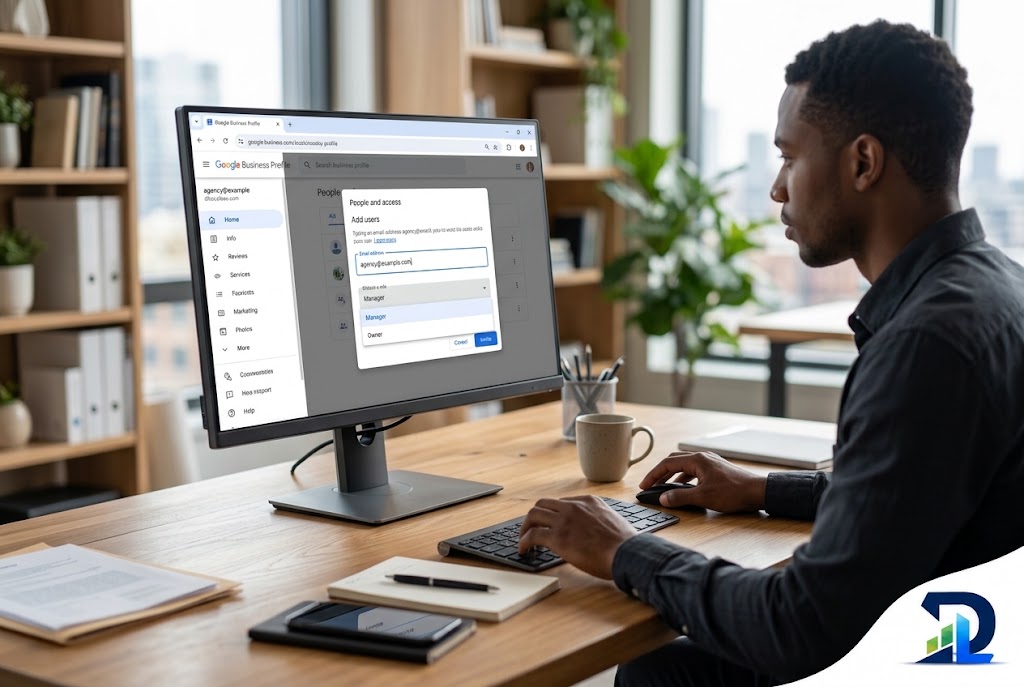
How to Add a Manager to Google Business Profile (and Give Your Agency Access Safely)
Quick answer
There are two ways to give someone access to your Google Business Profile: add them as a Manager or as an Owner. For an agency, a freelancer or an employee, choose Manager: sign in at business.google.com, open More (⋮) → Business Profile settings → People and access → Add, enter their email, pick Manager and select Invite. Managers can edit hours, photos and posts, reply to reviews and see performance — everything an agency needs to grow your Map Pack rankings — but they can’t add or remove users or delete the profile, so control stays with you. Owner access is worth giving only to a co-owner or a second company account: it adds the power to remove other users and, after a 7-day waiting period, to become primary owner — the one role that can lock you out. Before you invite anyone, check that you hold primary ownership yourself; if a former agency or web designer does, fix that first.
Owner vs Manager: What Each Google Business Profile Role Can Do
Owners have full control of the profile, managers can do everything except manage users and delete the profile, and one owner is always the primary owner — the only person who can hand that top role to someone else.
Google merged the old “site manager” role into Manager, so today there are three levels. Every user needs their own Google account, Google Groups can’t be added, and everyone with access can see the names and emails of the other owners and managers (Google Business Profile Help).
| Action | Primary owner | Owner | Manager |
|---|---|---|---|
| Edit name, hours, categories, services | Yes | Yes | Yes |
| Add photos, posts, products and offers | Yes | Yes | Yes |
| Reply to reviews and messages | Yes | Yes | Yes |
| See performance and insights | Yes | Yes | Yes |
| Invite or remove managers and owners | Yes | Yes | No |
| Transfer primary ownership | Yes | No | No |
| Delete or undelete the profile | Yes | Yes | No |
| Remove themselves from the profile | Only after transferring the role | Yes | Yes |
Based on Google Business Profile Help. For the first 7 days after joining, new owners and managers also can’t delete the profile, remove users or transfer primary ownership.
Want expert help without giving up ownership?
Book a free 15-minute consultation. We’ll check who holds which role on your profile and tell you exactly what access an agency should — and shouldn’t — get.
How to Add a Manager to Google Business Profile
Sign in with an owner account, open your profile’s People and access screen, select Add, enter the person’s email, choose Manager and send the invite — the whole process takes under a minute.
From business.google.com
Sign in, select your profile if you have several, then More (⋮) → Business Profile settings → People and access → Add. Enter the email, set Access to Manager and select Invite.
From your management panel
Search your business name on Google while signed in. In the panel above the results, open the ⋮ menu → Business Profile settings → People and access and follow the same steps.
Track and cancel
Unaccepted invitations appear under Pending on the People and access screen. If you invited the wrong address, select it and choose Cancel invitation.
- Use a personal work email per person. Each user needs their own Google account; a Gmail or Google Workspace address works, a Google Group doesn’t.
- Check the spam folder. Invites arrive by email from Google and often land in Promotions or Spam.
- The person must accept while signed in to the exact account you invited — not another Gmail open in the same browser.
- Only owners can invite. If you don’t see Add or People and access, you’re a manager, and the owner has to do it.
How to Give Your Agency Access Safely
Give your agency Manager access, keep primary ownership on an account the business controls, add a second company owner as a backup, and review the People and access list every quarter.
- Never make an agency the primary owner. Primary ownership can be transferred and then used to remove you. If an agency asks for it “to get started faster,” that’s a red flag — our guide on how to choose a local SEO company lists more of them.
- Don’t share your Google password. It exposes your email, Drive and payment profile, leaves no record of who changed what, and can trigger Google’s security checks that freeze the account.
- Keep two owners inside the business. If the primary owner’s Gmail gets lost or hacked, a second company owner can restore access without a weeks-long request process.
- Put access in your contract. State that the profile belongs to the business and that the agency removes itself when the work ends.
- Audit access every quarter. Former employees and past vendors with manager rights can still edit your hours, photos and categories.
What Happens After You Send the Invite
The person gets an email, accepts it and can work on the profile immediately — but for the first 7 days Google blocks the riskiest actions, including transferring primary ownership.
You’ll get an email when the invitation is accepted. Everything a manager does — review replies, posts and photo uploads — appears under the business name, not the person’s name, and it stays on the profile even after that person is removed.
How to Transfer Primary Ownership
Add the new person as an owner first, wait until they’ve been an owner for 7 days, then open People and access, select them and choose Transfer primary ownership.
A profile needs at least one other owner or manager before primary ownership can move. After the transfer, the former primary owner stays on as a regular owner and can then remove themselves if they want to. Transfer the role only to someone inside the business — for example, when the founder hands the company to a partner or the original account belongs to an employee who is leaving.
How to Remove a Manager or Owner
Open People and access, select the person and choose Remove person; to leave a profile yourself, select your own name and choose Stop managing.
Only owners can remove users, and nobody can remove anyone during their own first 7 days as an owner. Removed users get an email and lose all admin rights, but their past review replies and posts stay up. When you end a contract with an agency, remove its manager accounts the same day — and if the agency created posts promoting its own phone number or a tracking link, update them.
Locked out by a former agency or web designer?
We’ll walk you through the request-access and claim process, prepare the evidence Google asks for, and set up roles so it can’t happen again — free first assessment, no contract.
What to Do If a Former Agency Owns Your Profile
Ask the agency to transfer primary ownership to you; if it doesn’t respond, request access through Google — the current owner gets 3 days to answer, after which you may be able to claim the profile yourself.
| Situation | What to do | How long it usually takes |
|---|---|---|
| You’re an owner, the agency is primary owner | Ask the agency to transfer primary ownership to you in People and access | Minutes once they act; 7 days if you were added recently |
| The agency or old web designer doesn’t answer | Go to business.google.com/add, find your business, select Request access and fill out the form | Owner has 3 days to respond |
| No response after 3 days | Open the confirmation email, select View request → Verify and complete verification | Depends on the verification method Google offers |
| Your request is denied | Appeal the decision from the rejection email; meanwhile you can still suggest edits to the profile | Varies |
| The owner’s Gmail is lost or hacked | Recover the Google account first through Google’s account recovery — it’s faster than a new ownership request | From minutes to days |
Based on Google’s request ownership process. Claiming after the 3-day window isn’t always available — Google decides case by case.
How to Log Into and Access Your Google Business Profile
Go to business.google.com and sign in with the account that owns or manages the profile, or search your business name on Google while signed in — your management panel appears above the regular results.
- If Google shows “Own this business?” or “Claim this business,” you’re signed in with an account that has no access — switch accounts before requesting ownership.
- In the Google Maps app, tap your profile picture and choose Your Business Profile to manage it from a phone.
- If you manage 10 or more locations, Google lets you handle them in bulk from the Business Profile Manager with location groups, which is easier for multi-location brands and agencies.
Once access is sorted out, the profile itself needs work: categories, services, photos and steady review replies are what move you into the Map Pack. That’s exactly what our Google Business Profile optimization covers, and the review side is explained in how to respond to negative reviews.
Examples: Two Access Setups
Illustrative example · Dental practice
The web designer who owned everything
A practice discovers that the designer who built its website five years ago is still the primary owner — the practice manager only has manager access. The designer agrees to help, adds the owner’s business email as an owner, and a week later transfers primary ownership. The practice then adds a second owner account and gives its current agency manager access.
Illustrative example · HVAC company
One password shared by six people
An HVAC company runs its profile from one Gmail account whose password the office, two technicians and an agency all know. After a suspicious login, Google locks the account and the profile goes unmanaged for days. The fix: recover the account, change the password, and give each person their own manager access — with the owner role kept on a business-controlled account.
FAQ: Google Business Profile Managers and Access
How do I add a manager to my Google Business Profile?
Sign in at business.google.com with an owner account, open your profile, select More (⋮) → Business Profile settings → People and access → Add. Enter the person’s email, choose Manager under Access and select Invite. They can start managing the profile as soon as they accept.
What is the difference between an owner and a manager on Google Business Profile?
Managers can do almost everything owners can — edit business info, add photos and posts, reply to reviews and see performance — but they can’t add or remove users or delete the profile. Owners can do all of that, and only the primary owner can transfer primary ownership.
Should I give my SEO agency owner or manager access?
Manager. It gives an agency every tool it needs to optimize the profile while you keep control of who has access. An agency that insists on owner or primary owner access is a red flag.
Why can’t my new manager do everything yet?
For the first 7 days after someone becomes an owner or manager, Google blocks deleting or undeleting the profile, removing other owners or managers and transferring primary ownership. Everyday work such as edits, posts and review replies isn’t affected.
How do I log into my Google Business Profile?
Go to business.google.com and sign in with the Google account that owns or manages the profile, or search your business name on Google while signed in — your management panel appears above the results. If Google asks you to claim the business, you’re signed in with the wrong account.
How do I get my Google Business Profile back from an old agency?
First ask them to transfer primary ownership to you. If they don’t respond, go to business.google.com/add, find your business and select Request access. The current owner has 3 days to reply; if they don’t, you may be able to claim the profile from the request email by selecting View request and then Verify.
Can I share my Google password with my agency instead?
Don’t. Shared passwords leave no record of who changed what, can trigger Google’s security checks and lock the account, and give the other person access to everything tied to that Google account — not just the profile.
Get a Free Google Business Profile Video Audit
Add us as a Manager — never an owner — or just send your profile link. You’ll get a short personalized video comparing your Google Business Profile with 2–3 competitors that outrank you in the Map Pack, plus a prioritized fix list. White-hat only, month-to-month.
Explore our services: Google Business Profile Optimization · Local SEO · On-Page SEO · Industries we serve
Sources: Google Business Profile Help — Manage your Business Profile owners and managers; Google Business Profile Help — Request ownership of a Business Profile.